
STM32MP157C-DK2 board
Support for the STM32MP157C-DK2 board
Support for the STM32MP157C-DK2 board
Overview
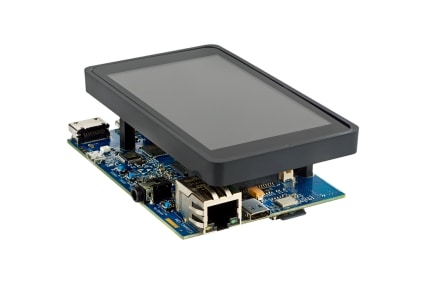
The STM32MP157C-DK2 is a board from ST featuring a double architecture based on a dual Cortex-A7 and a Cortex-M4 STM32MP157C microcontroller with 384KB of SRAM and no ROM Flash.
Hardware
MCU
| MCU | STM32MP157CAC |
|---|---|
| Family | ARM Dual Cortex-A7 & Cortex-M4 |
| Vendor | ST Microelectronics |
| RAM | 384Kb for Cortex-M4 |
| Flash | None but 64KB of RETRAM |
| Frequency | up to 209MHz |
| FPU | yes |
| Timers | 32 (3x watchdog, 2x 4 Cortex-A7 system timers, 1x SysTick, 5x 16-bit Low-Power, 12x 16-bit, 2x 32-bit, 1 RTC) |
| ADCs | 2x 12-bit (16 channels), 2x 16-bit (16 channels) |
| UARTs | 4x UART + 4x USART |
| SPIs | 6 |
| I2Cs | 6 |
| RTC | 1 |
| CAN | 2 |
| USB | 3 |
| Vcc | 1.8V - 3.6V |
| Datasheet | Datasheet |
| Reference Manual | Reference Manual |
| Programming Manual | Programming Manual |
| Board Manual | Board Manual |
Implementation Status
| Device | ID | Supported | Comments |
|---|---|---|---|
| MCU | STM32MP157CAC | partly | |
| Low-level driver | GPIO | yes | |
| UART | 1 UART | USART3 on PB12(RX)/PB10(TX) | |
| Timer | one 32 bit timer | TIM2 |
Flashing the device
Note that the STM32MP157C-DK2 board has no ROM Flash, thus the firmware needs to be reflashed each time the board is rebooted.
Boot selection jumper
| BOOT mode | BOOT0 | BOOT2 |
|---|---|---|
| Engineering | 1 | 1 |
| SD Card (Linux) | 0 | 1 |
Engineering mode
The STM32MP157C-DK2 board includes an on-board ST-LINK V2 programmer. The easiest way to program the board is to use OpenOCD. Once you have installed OpenOCD (look here for installation instructions), you can flash the board simply by typing inside your application directory:
USEMODULE='stm32mp1_eng_mode' BOARD=stm32mp157c-dk2 make flashand debug via GDB by simply typing
USEMODULE='stm32mp1_eng_mode' BOARD=stm32mp157c-dk2 make debugSD Card (Linux) mode
This assumes that Linux is booted and that your Linux kernel supports STM32 remoteproc framework.
Build the firmware inside your application directory:
BOARD=stm32mp157c-dk2 makeCopy your firmware firmware.elf in /lib/firmwares on the Linux system. (replace firmware.elf by your firmware filename)
Then simply launch this commands on the Linux system as root user:
echo firmware.elf > /sys/class/remoteproc/remoteproc0/firmwareecho start > /sys/class/remoteproc/remoteproc0/stateYou can stop RIOT from Linux command line:
echo stop > /sys/class/remoteproc/remoteproc0/state