Spark-Core
Support for the spark-core board
Support for the spark-core board
Overview
Spark’s hardware dev kit, the Spark Core, provides everything you need to build a connected product. We combine a powerful ARM Cortex M3 micro-controller with a Wi-Fi module to get you started quickly. The design is open source, so when you’re ready to integrate the Core into your product, you can.
Hardware
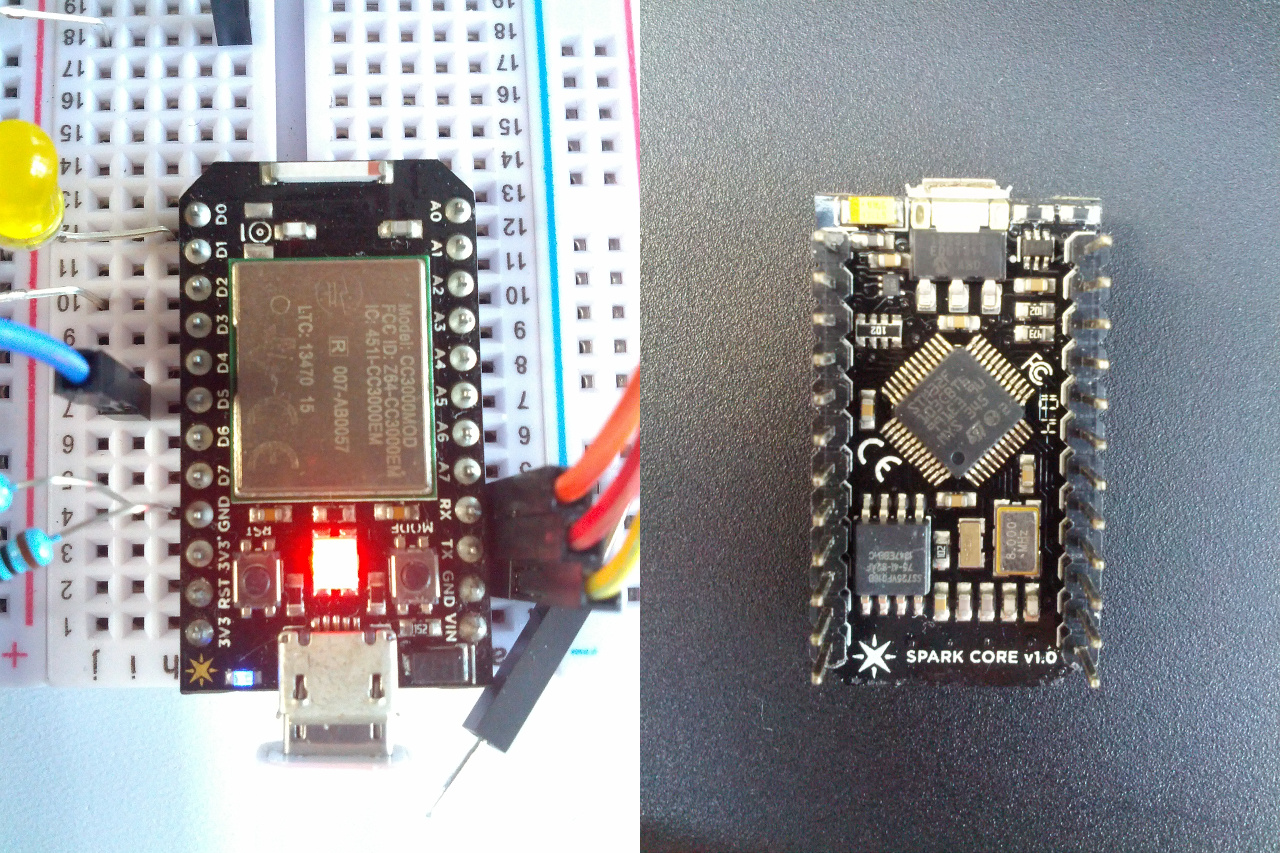
Link to product website.
MCU
| MCU | STM32F103CB |
|---|---|
| Family | ARM Cortex-M3 |
| Vendor | ST Microelectronics |
| RAM | 20Kb |
| Flash | 128Kb |
| Frequency | up to 72MHz (using the on-board 8MHz Oszillator of the ST- Link) |
| FPU | no |
| Timers | 10 (9x 16-bit, 1x 32-bit [TIM2]) |
| ADCs | 4x 12-bit |
| UARTs | 5 |
| SPIs | 3 |
| I2Cs | 2 |
| Vcc | 2.0V - 3.6V |
| Datasheet | Datasheet |
| Reference Manual | Reference Manual |
| Programming Manual | Programming Manual |
| Board Manual | Board Manual |
Hardware connection
First of all make sure the your spark core device is detected and can be accessed properly. In Linux you might have to adept your udev rules accordingly:
cat 50-openmoko.rules#Bus 001 Device 022: ID 1d50:607f OpenMoko, Inc.
SUBSYSTEMS=="usb", ATTRS{idVendor}=="1d50", ATTRS{idProduct}=="607f", \    MODE:="0666", \    SYMLINK+="openmoko_%n"
# If you share your linux system with other users, or just don't like the# idea of write permission for everybody, you can replace MODE:="0666" with# OWNER:="yourusername" to create the device owned by you, or with# GROUP:="somegroupname" and manage access using standard unix groups.
sudo cp 50-openmoko.rules  /etc/udev/rules.d/sudo udevadm control --reload-rulessudo udevadm trigger
now replug the usb cable and flash.
Flashing
To flash RIOT to the spark core you need to install dfu-util (tested with
0.7 and 0.8).
Power the device and press the mode button until the LED flashes
yellow/orange: now the device is ready to get flashed.
Firmware upgrade
To run RIOT it is required that you run the newest spark bootloader on your core: from https://community.spark.io/t/replace-core-firmware-with-riot-os/7007/7
Here is the core-firmware branch for this:https://github.com/spark/core-firmware/tree/bootloader-patch-update1However care should be taken not to disturb the patch update process byaccidentally removing usb power or through reset.Following is the procedure to update the bootloader-patch1)cd core-firmware2)git pull3)git checkout bootloader-patch-update4)cd build [No need to run make]5)Enter usb dfu/bootloader mode => Yellow flashes6) dfu-util -d 1d50:607f -a 0 -s 0x08005000:leave -D core-firmware.bin7)Upon execution, the bootloader should be updated within a second or two andnormal core-firmware should start executing.8)Congrats! your core is loaded with latest bootloader without the hassle ofgoing through ST-Link JTAG programmingBuild and flash
- clone RIOT-OS
- cd to e.g.
examples/basic/hello-world - enter
BOARD=spark-core make clean all flash
Use the UART
- RIOT is using the UART PINs on the board, they are labeled as
RTandTX. - Connect your TTY to them and
BOARD=spark-core make term. - In a different terminal enter
BOARD=spark-core make reset
Pin mapping in RIOT
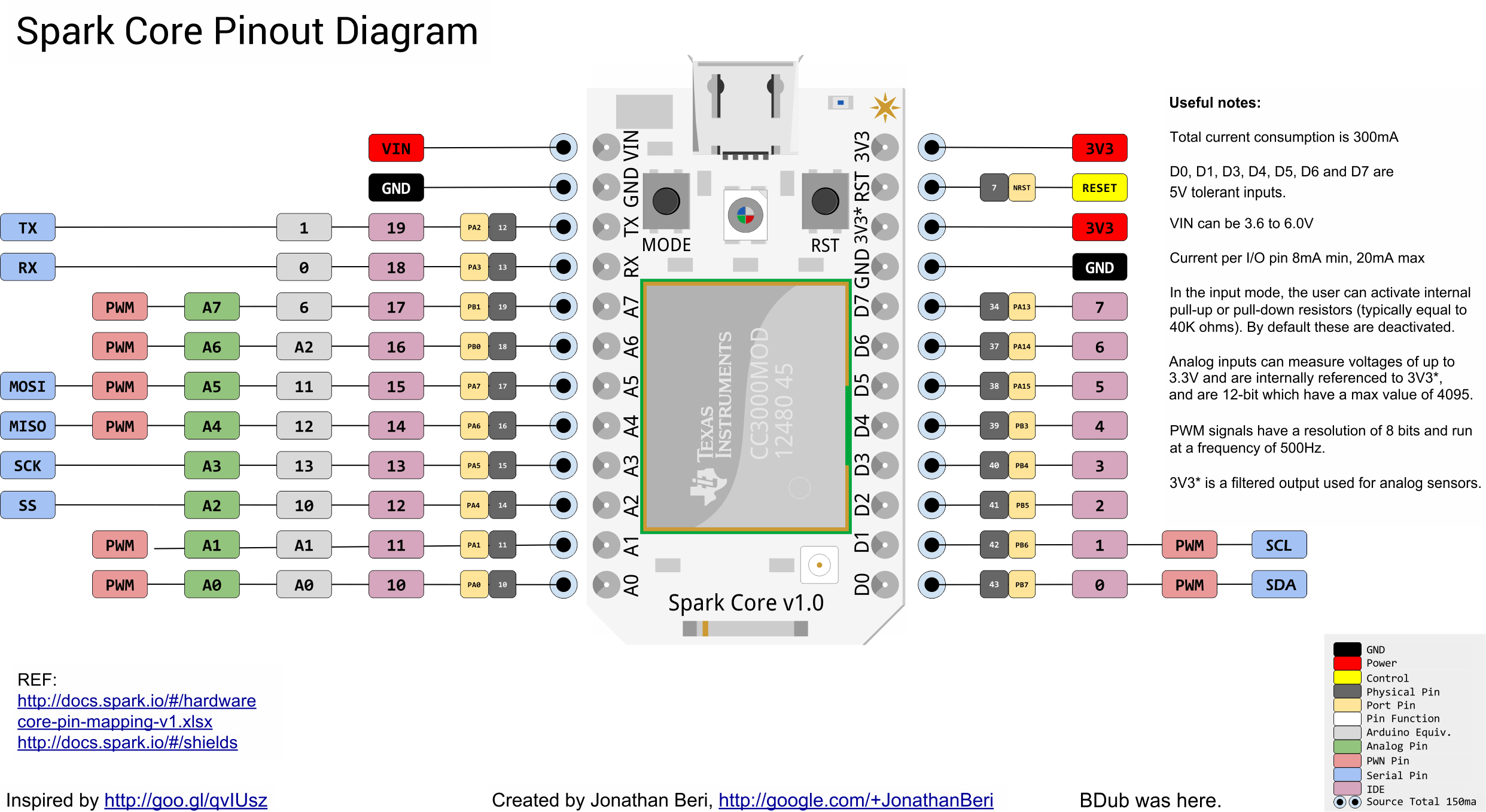
The following image shows RIOT’s static pin mapping chosen for this board.
This mapping is completely arbitrary, it can be adjusted in
boards/spark-core/include/periph_conf.h