
ESP32-S3-Box
Support for the ESP32-S3-Box
Support for the ESP32-S3-Box @author Gunar Schorcht gunar@schorcht.net
\section esp32s3_box ESP32-S3-Box
Overview
The Espressif ESP32-S3-Box is a AIoT development platform for the ESP32-S3 SoC.
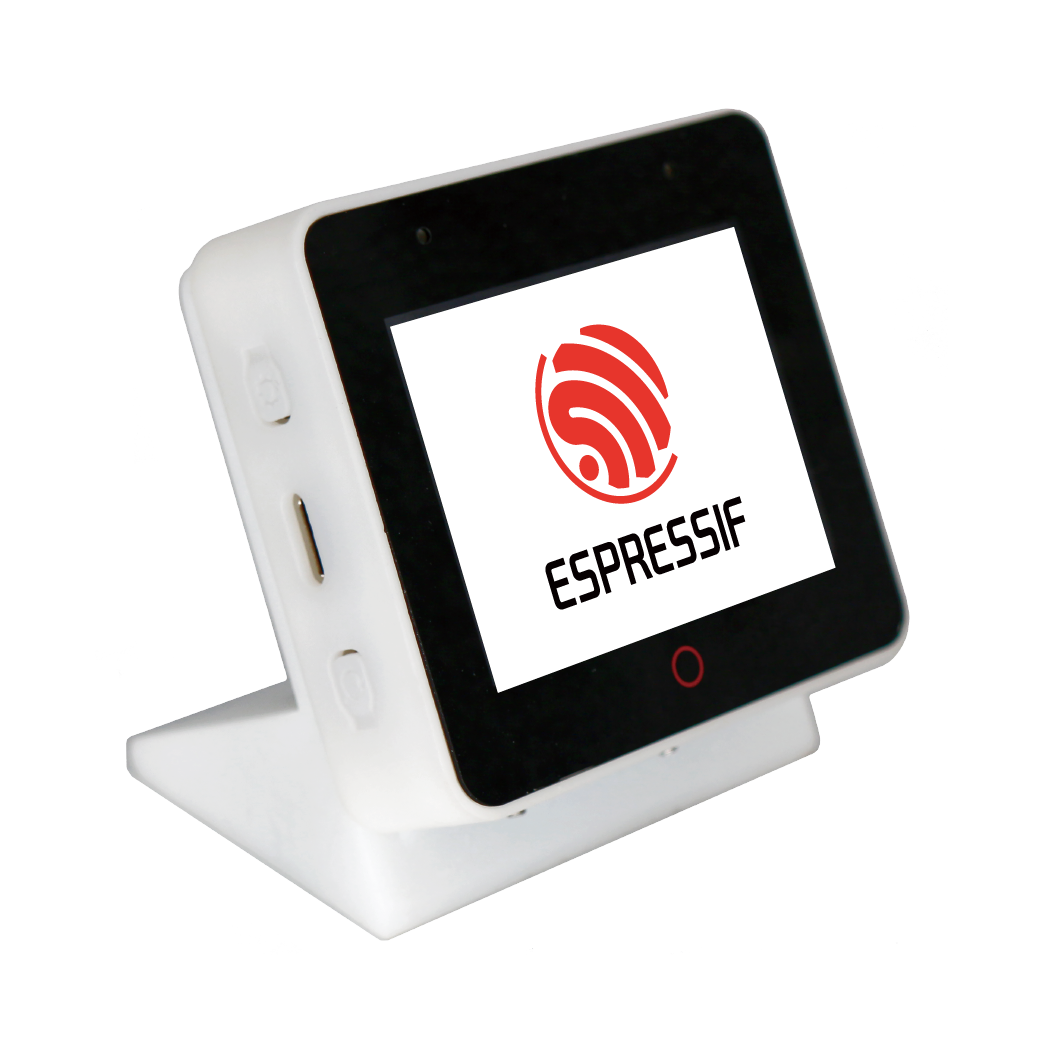
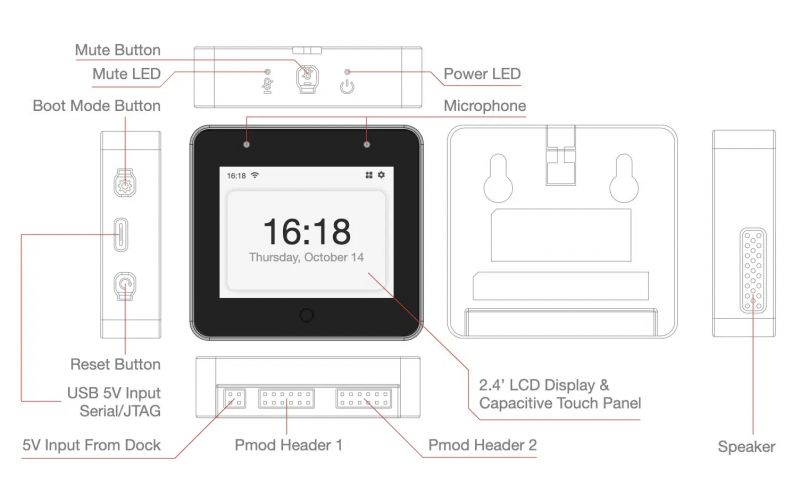
The ESP32-S3-Box has following main features:
The Espressif ESP32-S3-Box is shipped with a Dock which exposes the 2 x Digilent Pmod(TM) Connectors.
Hardware
MCU
Most features of the ESP32-S3-Box are provided by the ESP32-S3 SoC. For detailed information about the ESP32-S3 SoC variant (family) and ESP32x SoCs, see section esp32_mcu_esp32 “ESP32 SoC Series”.
Board Configuration
The following table shows the default ESP32-S3-Box configuration, which is sorted according to the defined functionality of GPIOs. This configuration can be overridden by esp32_application_specific_configurations “application-specific configurations”.
Board Pinout
The following figures show the pinouts as configured by default board definition.
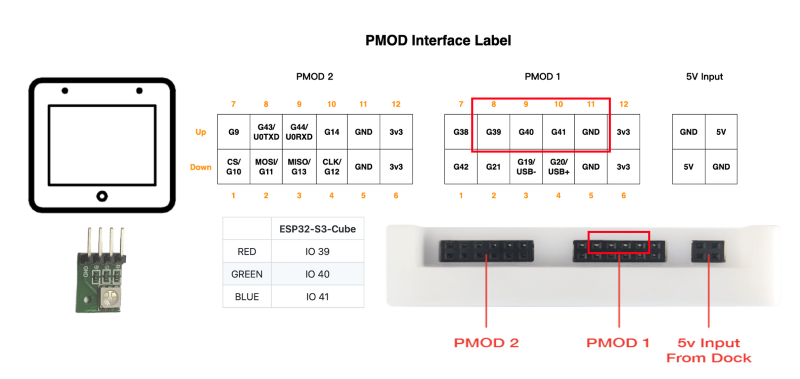
The corresponding schematics can be found:
Flashing the Device
Since the ESP32-S3-Box does not have a USB-to-Serial chip, the easiest way to flash it is using the USB Serial/JTAG interface. Just connect the ESP32-S3-Box to your host computer and use the following command:
BOARD=esp32s3-box make flash ...Usually the make system resets the ESP32-S3-Box before flashing to enable the USB Serial/JTAG controller and to reboot the ESP32-S3 in download mode.
In some very special cases this reset does not work and the programmer cannot connect to the card, so the flashing is aborted with a timeout:
Serial port /dev/ttyACM0Connecting......serial.serialutil.SerialTimeoutException: Write timeoutThis can happen either if RIOT is not yet installed or if the USB port was previously used with the USB OTG controller, for example with USBUS or tinyUSB. In this case, restart the ESP32-S3-Box manually into download mode by pressing and releasing the RESET button while holding down the BOOT button. In download mode, the USB Serial/JTAG interface is always available.
Note: If the USB port was previously used with the USB OTG controller, an automatic restart of the ESP32-S3 with the flashed application is not possible. In this case the ESP32-S3-Box must be reset manually using the RESET button. In all other cases the ESP32-S3 automatically restarts with the flashed application.