
Wemos LOLIN D32 Pro
Support for Wemos LOLIN D32 Pro
Support for Wemos LOLIN D32 Pro @author Gunar Schorcht gunar@schorcht.net
\section esp32_wemos_lolin_d32_pro Wemos LOLIN D32 Pro
Overview
Wemos LOLIN D32 Pro is a development board that uses the ESP32-WROVER module which has a built-in 4 MByte SPI RAM. Most important features of the board are
- Micro-SD card interface
- TFT display interface
- SPI RAM 4 MByte
Wemos LOLIN D32 Pro belongs to the class of general purpose boards where most ESP32 pins are broken out for easier access.
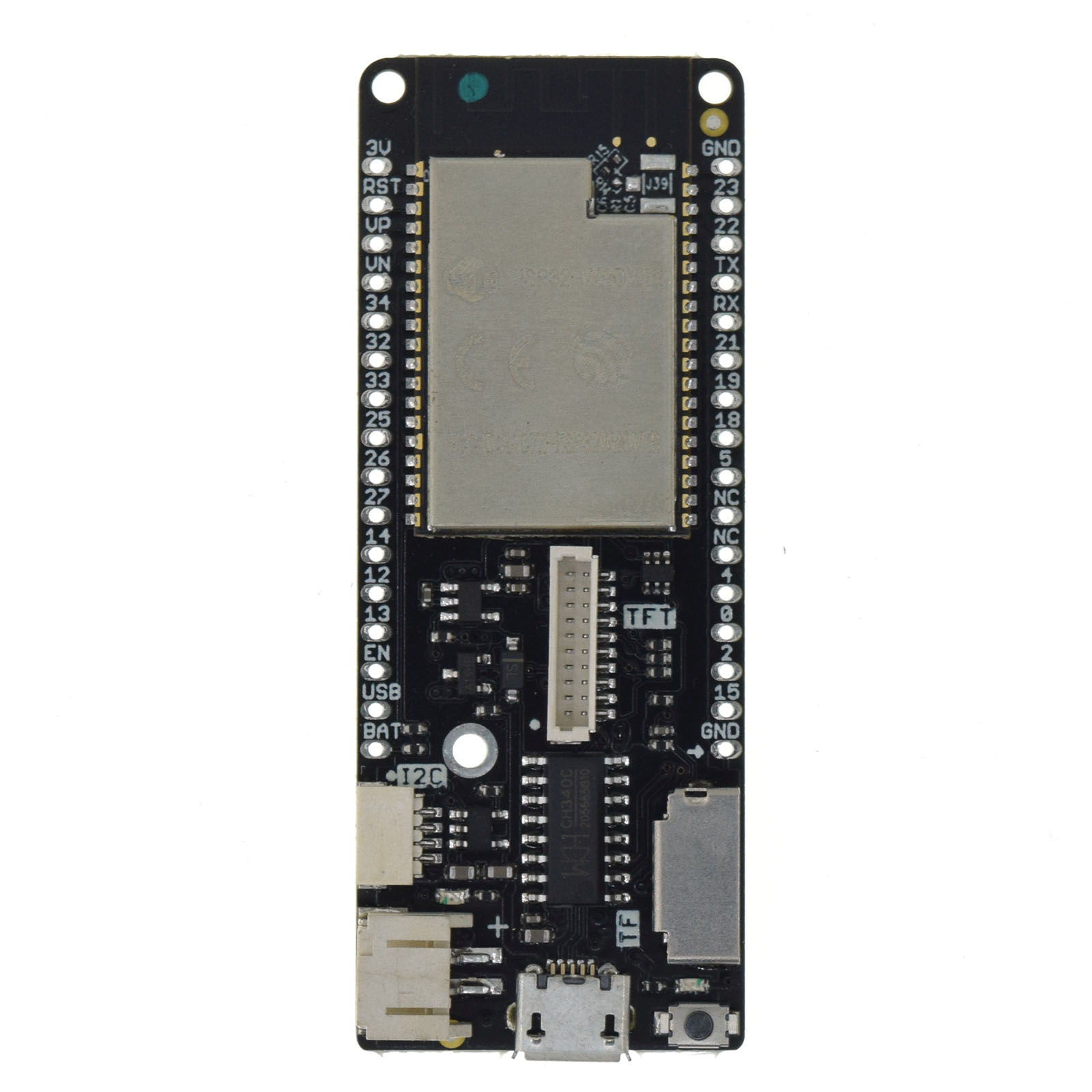
Hardware
MCU
Most features of the board are provided by the ESP32 SoC. For detailed information about the ESP32, see section esp32_mcu_esp32 “MCU ESP32”.
Board Configuration
The board for the Wemos LOLIN D32 Pro has the following on-board components:
- 1 x LED
- 1 x Micro SD card interface
- 1 x TFT display connector
The following table shows the default board configuration, which is sorted according to the defined functionality of GPIOs. This configuration can be overridden by an esp32_application_specific_configurations “application-specific configuration”.
\b * Default configuration cannot be used or is not available at all when optional configuration is used. For example, when the TFT is connected, GPIO32 is used as TFT_LED signal and ADC_LINE(4) is not available.
Note: When the TFT display is connected, add the following line to the
makefile of the application to enable the according default board and
peripheral configuration:
USEMODULE += esp_lolin_tftFor detailed information about the configuration of ESP32 boards, see section esp32_peripherals “Common Peripherals”.
Optional Hardware Configurations
MRF24J40-based IEEE 802.15.4 radio modules and ENC28J60-based Ethernet network interface modules have been tested with the board. You could use the following code in your esp32_application_specific_configurations “application-specific configuration” to use such modules:
#ifdef BOARD_ESP32_WEMOS_LOLIN_D32_PRO
#  if MODULE_MRF24J40#    define MRF24J40_PARAM_CS       GPIO15  /* MRF24J40 CS signal    */#    define MRF24J40_PARAM_RESET    GPIO2   /* MRF24J40 RESET signal */#    define MRF24J40_PARAM_INT      GPIO13  /* MRF24J40 INT signal   */#  endif
#  if MODULE_ENC28J80#    define ENC28J80_PARAM_CS       GPIO15  /* ENC28J80 CS signal    */#    define ENC28J80_PARAM_RESET    GPIO2   /* ENC28J80 RESET signal */#    define ENC28J80_PARAM_INT      GPIO13  /* ENC28J80 INT signal   */#  endif
#endif
For other parameters, the default values defined by the drivers can be used.
@note
- Only a few GPIOs are available for external hardware on the Wemos LOLIN D32 PRO. Therefore, MRF24J40 and ENC28J60 based modules use the same GPIOs and only one of these modules can be used simultaneously.
- The RESET signal of MRF24J40 and ENC28J60 based modules can also be connected to the RST pin of the board (see esp32_wemos_lolin_d32_pro_pinout_img “pinout”) to keep the configured GPIO free for other purposes.
Board Pinout
The following picture shows the pinout of WEMOS LOLIN D32 PRO board as defined by the default board configuration. The light green GPIOs are not used by configured on-board hardware components and can be used for any purpose. However, if optional off-board hardware modules are used, these GPIOs may also be occupied, see section esp32_wemos_lolin_d32_pro_board_configuration for more information.
The corresponding board schematic can be found here.
\anchor esp32_wemos_lolin_d32_pro_pinout_img

Flashing the Device
Flashing RIOT is quite easy. The board has a Micro-USB connector with reset/boot/flash logic. Just connect the board to your host computer using the programming port and type:
BOARD=esp32-wemos-lolin-d32-pro make flash ...For detailed information about ESP32 as well as configuring and compiling RIOT for ESP32 boards, see esp32_riot.