
TI CC1352P LaunchPad
Texas Instruments SimpleLink(TM) CC1352P Wireless MCU LaunchPad(TM) Kit
Texas Instruments SimpleLink(TM) CC1352P Wireless MCU LaunchPad(TM) Kit
Overview
The LAUNCHXL-CC1352P is a Texas Instrument’s development kit for the CC1352P SoC which combines dual-band wireless MCU with integrated power amplifier.
Hardware
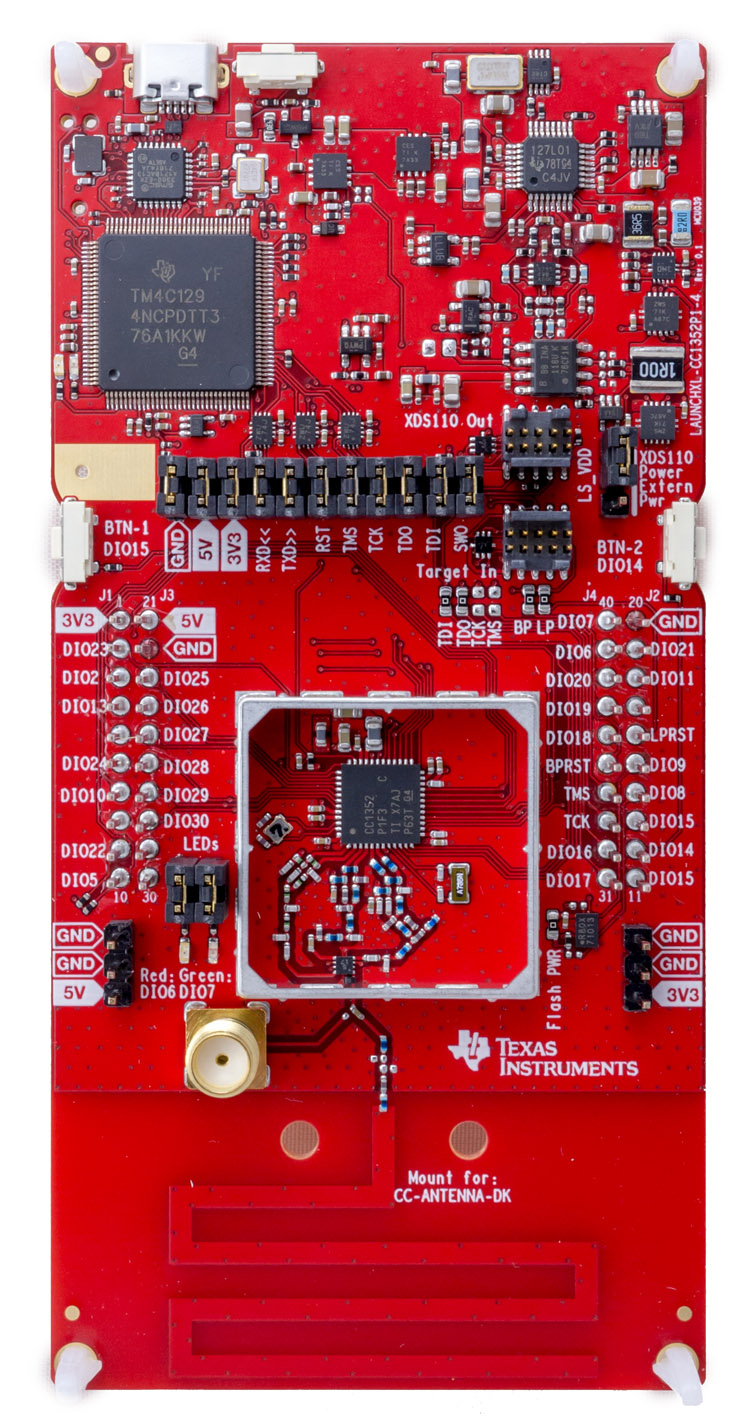
| MCU | CC1352R1 |
|---|---|
| Family | ARM Cortex-M4F |
| Vendor | Texas Instruments |
| RAM | 80KiB |
| Flash | 352KiB |
| Frequency | 48MHz |
| FPU | yes |
| Timers | 4 |
| ADCs | 1x 12-bit (channels) |
| UARTs | 2 |
| SPIs | 2 |
| I2Cs | 1 |
| Vcc | 1.8V - 3.8V |
| Datasheet | Datasheet (pdf file) |
| Reference Manual | Reference Manual |
The board comes in two variants with different RF matching network on the 20 dBm PA output port:
- LAUNCHXL-CC1352P1: 868/915 MHz up to 20 dBm, 2.4 GHz up to 5 dBm
- LAUNCHXL-CC1352P-2: 868/915 MHz up to 14 dBm, 2.4 GHz up to 20 dBm.
Board pinout
The LAUNCHXL-CC1352P1 Quick Start Guide provides the default pinout for the board.
Flashing the Device
Flashing RIOT is quite straight forward. The board comes with an XDS110 on-board debug probe that provides programming, flashing and debugging capabilities through the USB Micro-USB connector. Once either TI Uniflash or OpenOCD are installed just connect the board using the Micro-USB port to your computer and type:
BOARD=cc1352p-launchpad make flashTo use OpenOCD instead of uniflash we need to set the PROGRAMMER environment
variable, this is to enable OpenOCD instead of Uniflash.
PROGRAMMER=openocd BOARD=cc1352p-launchpad make flashFor detailed information about CC1352P MCUs as well as configuring, compiling RIOT and installation of flashing tools for CC1352P boards, see cc26xx_cc13xx_riot.