
Arduino Zero
Support for the Arduino Zero board.
Support for the Arduino Zero board.
Overview
The Arduino Zero is a board by Arduino/Genuino featuring a ATSAMD21G18A. The
SAMD21 is a ARM Cortex-M0+ micro-controller. It has 256KiB of flash memory and
32KiB of RAM.
This board is available here.
Hardware
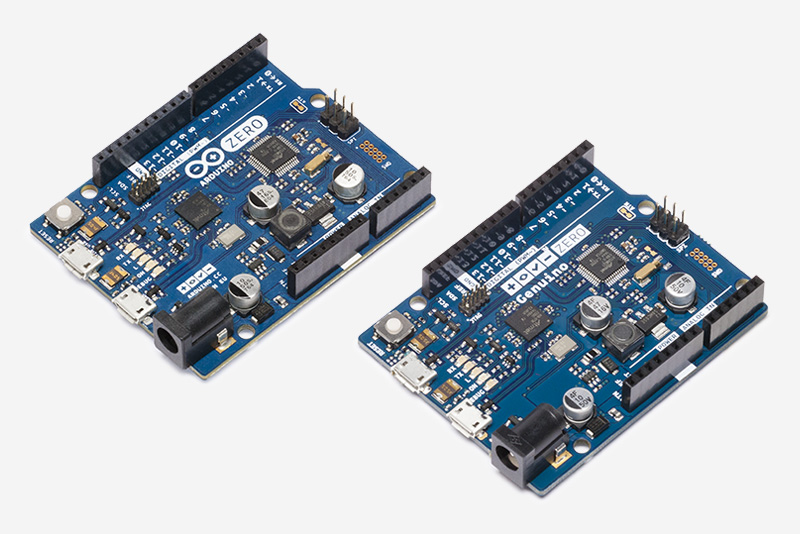
MCU
| MCU | ATSAMD21G18A |
|---|---|
| Family | ARM Cortex-M0+ |
| Vendor | Atmel |
| RAM | 32KiB |
| Flash | 256KiB |
| Frequency | up to 48MHz |
| FPU | no |
| Timers | 6 (1x 16-bit, 2x 24-bit, 3x 32-bit) |
| ADCs | 6x 12-bit channels |
| UARTs | 2 |
| SPIs | max 6 (see UART) |
| I2Cs | max 6 (see UART) |
| Vcc | 1.8V - 3.6V |
| Datasheet | Datasheet |
User Interface
1 LED:
| Device | PIN |
|---|---|
| LED0 | PA17 |
Implementation Status
Notice that the initial support for the Arduino Zero was based on samr21-xpro and Sodaq Autonomo.
| Device | ID | Supported | Comments |
|---|---|---|---|
| MCU | samd21 | partly | Energy saving modes not fully utilized |
| Low-level driver | GPIO | yes | |
| PWM | to be tested | ||
| UART | yes | two UARTs | |
| I2C | yes | ||
| SPI | yes | ||
| ADC | not implemented | ||
| USB | no | ||
| RTT | yes | ||
| RTC | yes | ||
| RNG | no | no HW module | |
| Timer | yes |
Detailed information on the board can be found on the official web page.
Flashing the device
The standard method for flashing RIOT to the Arduino Zero is using OpenOCD. For this to work properly, you have to make sure to use a very recent version of OpenOCD. Arduino-IDE comes with openocd v0.9.0 which is known to work.
Refer to https://doc.riot-os.org/misc/openocd/ for building OpenOCD and make sure “cmsis-dap” and “hidapi-libusb” are enabled.